Construction jobsite management software
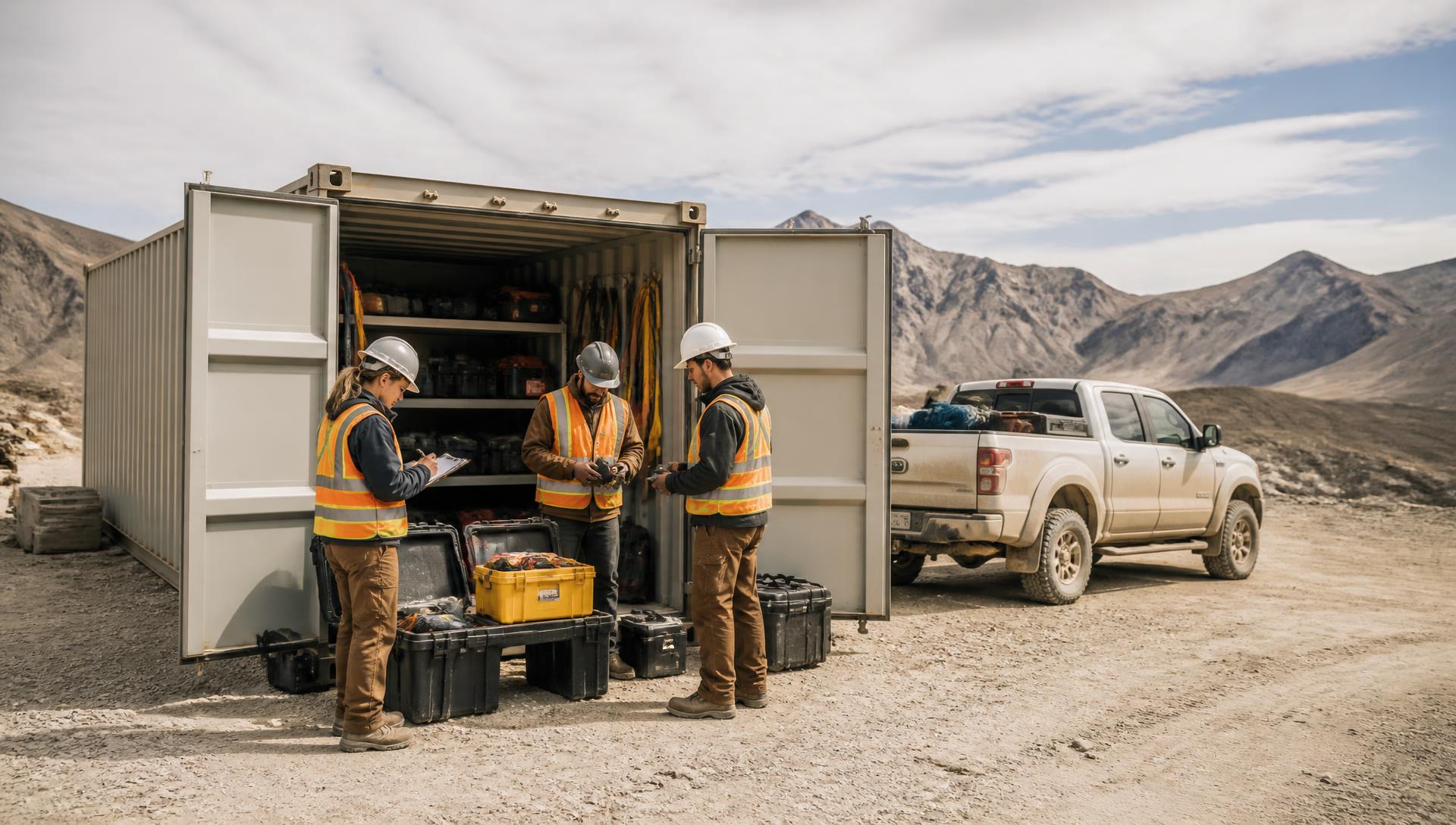
Every jobsite: managed, documented, monetized.
Jobsite management, live P&L, AI-drafted work orders, branded PDFs, OSHA 300 / 301 injury documents, and billing handoff — plus equipment allocation, rental & owned asset tracking, JHAs, Pre-Task Plans, Permit-to-Work, personnel tracking, emergency plans, and the jobsite feed that ties it all together — one app, from mobilization through billing handoff.
Jobsite command center
Every jobsite has its own hub — crew assignments, equipment on site, hours logged, docs, incidents, and live cost rollup. Scan a QR to check in a person or asset.
Jobsite P&L, live
Labor × rate + asset-days + repair spend + AI-captured receipts, rolled up automatically. Compare to bid. Similar-job lookups sharpen the next estimate.
Work orders + AI work-order support
Create a work order in the field or let AI draft one from a voice note or photo. Scope, materials, labor and pricing suggested — you approve & send.
Professional branded PDFs
Work orders, daily jobsite summaries, punch lists, DVIRs and inspection reports export as customer-ready PDFs with your logo, signatures and photos.
Injury & incident reporting
OSHA 300 / 300A / 301-aligned injury logs, plus 14-field operational incident capture with photos, witness statements and signatures. Year-end log auto-populates.
Billing-ready field records
Review an approved work order, its labor, materials, signatures, and photos, then send the evidence-backed record to billing or export it for QuickBooks or your ERP.
Equipment allocation & inspections
Assign owned and rented assets to a site, track custody, and run inspections right from the jobsite record. Every ladder, lift, and harness tied to the site that needs it.
Rental & owned equipment management
Log daily or weekly rental rates, return dates, and vendors. Overdue alerts fire before the meter runs another week. Owned gear is tracked alongside rental spend for true site cost.
JHAs & Pre-Task Plans
Build job-hazard analyses and pre-task plans per site, task, or crew. Workers sign off before starting, and the record is ready for OSHA, insurance, or GC review.
Personnel tracking on site
See who is on each site, what crew they belong to, their role, and their safety status. PIN/QR check-ins, time-clock punches, and certifications — all tied to the site.
Emergency plans per site
Upload site-specific emergency action plans, nearest hospital maps, muster points, and contacts. Crews can access them instantly from the field, online or offline.
Permit-to-Work
Hot work, confined space, excavation, lockout/tagout — create permit requests, attach hazard controls, collect signatures, and attach the signed permit to the jobsite record.

Jobsite Closeout Report
Riverside Tower — Level 7
412 Riverside Dr · Report #DS-08841 · Nov 14, 2026
Labor
$8,420
Assets
42 items
Margin
+21%
Site Supervisor · e-signed
Sent to GC · Nov 14 4:12 PM
Every export carries your logo, signatures, GPS-stamped photos and DropShield audit trail.
Jobsite operations run in one place. Not across four apps.
DropShield treats the jobsite as the center of gravity: equipment, rentals, JHAs, permits, people, work orders, and emergencies all connect to the site record. That is what makes the P&L, the PDFs, and the audit trail defensible — because nothing lives in a silo.
Equipment allocation & organization
Assign every ladder, lift, harness, generator, and tool to a jobsite. See what's on site, what's available, and what's red-tagged or quarantined. QR check-in/out keeps custody accurate.
- Owned + rented assets on one site roster
- Inspection status at the site level
- Failed-equipment auto-red-tag and quarantine
- Custody history by person, truck, or site
Rental equipment & overdue alerts
Track daily/weekly rental rates, vendor, PO, and return date per unit. DropShield alerts you before the rental meter runs another week — so owned-equipment and rental spend never surprise you.
- Rental rate, vendor, return date per unit
- Overdue alerts by site and by return date
- Rental burn rolled into live site P&L
- Owned vs. rented spend comparison
JHAs & Pre-Task Plans
Create job-hazard analyses and pre-task plans by site, task, or crew. Workers review hazards and sign off before the first cut. The signed JHA lives on the jobsite record for audits and insurance.
- Task-specific hazard library
- Worker sign-off before starting work
- Photo evidence of controls in place
- OSHA- and insurance-ready documentation
Jobsite feed — tasks, timelines & milestones
The entire site conversation in one place: notes, @mentions, to-dos, photos, kudos, and safety alerts. The feed organizes by date and ties every post to the crew, asset, or work order it belongs to.
- To-dos with owners and due dates
- Calendar-based timeline and milestones
- Kudos, red-tags, and safety alerts in one stream
- Daily wrap PDF export for the GC
Permit-to-Work
Hot work, confined space, excavation, lockout/tagout, and more. Build permit requests, attach hazard controls, collect required signatures, and store the completed permit on the site record.
- Permit templates by work type
- Hazard controls and PPE checklist
- Digital signatures from competent person
- Permit tied to the related work order
Related work orders & expenses
Create work orders and expenses directly from the jobsite. Materials, labor, subcontractors, and AI-captured receipts all roll into the job. Review the evidence and send the completed record to billing without re-entering field data.
- Work order creation from the feed or site hub
- AI receipt capture and expense matching
- Labor and materials charged to the site
- Approved work sent to billing in one tap
Personnel tracking on site
See who is on site, what crew they belong to, their role, and their current safety status. PIN/QR check-ins, time-clock punches, and certification status all flow into the jobsite record.
- Crew roster and role assignment
- PIN/QR check-in and GPS punches
- Certification status per worker
- Safety sign-off and orientation records
Emergency plans per site
Upload site-specific emergency action plans, nearest hospital maps, muster points, utility shutoffs, and emergency contacts. Crews access them instantly from the field — even when offline.
- Site-specific emergency action plan
- Nearest hospital and muster points
- Emergency contacts and utility shutoffs
- Offline access in the mobile app
Why this matters for specialty contractors
You do not have an army of project managers. You need one place where the foreman can see the site roster, check out a ladder, report a near miss, approve a work order, and pull the emergency plan — all before lunch. DropShield is that place.
The jobsite conversation, captured as a record.
Crews already talk all day — in texts, in trucks, in the parking lot. DropShield's Jobsite Feed puts that same conversation where it counts: timestamped, attributed, and connected to the jobsite, the crew member, the asset, and the dollar.
● OnlineJobsite Feed
Riverside Tower · Nov 17
Cole Whitaker
8:42aSite Supervisor
Kudos to Miguel R. — perfect fall-pro pre-use inspection, 3rd this month.
Kudos · +2 Workforce Score
Riverside Tower
9:15aEquipment · DS-1442
Harness DS-1442 failed pre-use — red-tagged and pulled from the assignable pool.
Photo on fail · Work Order #WO-2231 opened
Ana Reyes
Due FriTo-do · assigned by Cole
Upload signed subcontractor COI before the 11/22 pour.
Assigned · reminder 24h before due
Jorge Medina
10:03aForeman · Level 7
GC asked for a revised punch list — draft PDF sent for approval. @Cole take a look.
Mention · PDF attached
Milestone
In 5 daysLevel 7 slab pour
Scheduled 11/22 · 6 crew · 2 pumps · budget $310K / actual $248K.
Calendar · linked to timeline
Cost event
2:18pAI receipt capture
$412.65 in fasteners logged to Riverside Tower from a photo of the receipt.
Jobsite P&L updated automatically
Jobsite Feed
Riverside Tower · Nov 17
Cole Whitaker
8:42aSite Supervisor
Kudos to Miguel R. — perfect fall-pro pre-use inspection, 3rd this month.
Kudos · +2 Workforce Score
Riverside Tower
9:15aEquipment · DS-1442
Harness DS-1442 failed pre-use — red-tagged and pulled from the assignable pool.
Photo on fail · Work Order #WO-2231 opened
Ana Reyes
Due FriTo-do · assigned by Cole
Upload signed subcontractor COI before the 11/22 pour.
Assigned · reminder 24h before due
Jorge Medina
10:03aForeman · Level 7
GC asked for a revised punch list — draft PDF sent for approval. @Cole take a look.
Mention · PDF attached
Milestone
In 5 daysLevel 7 slab pour
Scheduled 11/22 · 6 crew · 2 pumps · budget $310K / actual $248K.
Calendar · linked to timeline
Cost event
2:18pAI receipt capture
$412.65 in fasteners logged to Riverside Tower from a photo of the receipt.
Jobsite P&L updated automatically
Live feed · Riverside Tower
Messaging that lands on the record
Notes, photos and @mentions post straight to the jobsite — not a group text that disappears. Every message is timestamped, attributed, and connected to the site.
To-dos you can actually assign
Turn any note into an assigned to-do with an owner and a due date. Reminders fire before it's late, and the completion is stamped on the feed.
Photo evidence, GPS-stamped
Field photos attach to the post and to the asset, work order, or inspection it came from — the same photo-on-fail evidence that makes an audit packet defensible.
Kudos that build safety culture
Recognize the crew in front of everyone. Kudos feed the Workforce Scorecard, so good behavior shows up in the numbers, not just in the moment.
Calendar-based, day by day
The feed is organized by date, so you can scroll back to any day of the job and see exactly what happened, who was there, and what it cost.
Feed → daily wrap PDF
The day's notes, photos, to-dos and events roll into a branded daily jobsite summary you can send the GC before the crew leaves.
Everything attributable
Name, time, GPS and jobsite on every post
Bilingual
Full English + Spanish on every screen
Works offline
Posts and photos sync when signal comes back
Bring in clients, subs and visitors without giving anyone a login.
The people who slow a job down are usually the ones who aren't in your system. DropShield hands them a secure link or a QR code instead — everything they submit lands straight in the job record.
Client project timeline
Send the GC or owner a single secure link. They see live milestones, progress and photos — no account, no app download, no invite to your system.
Jobsite orientation & sign-in
A QR code at the gate opens an orientation and sign-in page. Visitors, delivery drivers and subs read the site rules, sign, and land on your roster instantly.
Subcontractor pre-qualification
Send subs a pre-qual form before they mobilize. Insurance, safety history and company details come back into your records instead of into your inbox.
A signature on the phone, on the record forever.
Signing happens right in the app with a finger. Every signature is timestamped and attached to the exact record it belongs to — so when someone asks who accepted the tool, who signed the plan, or who acknowledged the policy, the answer is one tap away.
Private calendar feed
Put operating dates in the calendar your team already checks.
Subscribe privately to jobsite milestones, calibration due dates, rental returns, and work orders. Calendar entries remain connected to the records that created them.
One view of every jobsite. Connected, financial, assignable.
The Portfolio gives leadership a live, high-level look at every active jobsite — crew, work orders, actuals vs bid. Each site drills into a calendar-based Feed for notes, to-dos, and assignments, plus a milestone timeline with budget, actuals and owners at every stage.
Jobsite Portfolio
Live snapshot · 4 active sites
Total actuals
$630K
Riverside Tower
FramingMill District Phase II
SiteworkNorth 14th & Oak
Punch listBeacon Hill Retail
MobilizingJobsite Feed · Riverside Tower
Notes · to-dos · assignments
Cole W.
8:42aKudos to Miguel — perfect fall-pro inspection, 3rd this month.
Site: Riverside Tower
9:15aHarness DS-1442 red-tagged — pulled from assignable pool.
To-do · assigned to Ana R.
Due FriUpload signed subcontractor COI before pour on 11/22.
Milestone
In 5 daysLevel 7 slab pour scheduled 11/22 · 6 crew · 2 pumps.
Jorge M. (foreman)
10:03aGC requested revised punch list — draft sent for approval.
Timeline & Milestones · Riverside Tower
Financials, owners & status per stage
Excavation & footings
Budget
$68K
Actual
$64K
Foundation
Budget
$142K
Actual
$139K
Structural framing
Budget
$310K
Actual
$248K
MEP rough-in
Budget
$180K
Actual
$41K
Envelope & roofing
Budget
$220K
Actual
$0
Interior + finishes
Budget
$275K
Actual
$0
Connective by design — every milestone, feed note, and portfolio dollar links back to a person, an asset, and a document.
Every jobsite roll-up is fed by work orders, assets, safety, and the time clock — one connected record.
See DropShield on your jobsite.
Book a live walkthrough — or skip the call and start a 2-week free trial. Either way, we'll help you get your equipment, crew, jobsites, and work orders loaded fast.
- 20-minute live walkthrough (Demo)
- Full-access 2-week trial, no card required
- Bulk-import onboarding — real training, not a "watch me click" call
- Your top 3 priorities pre-load the agenda